

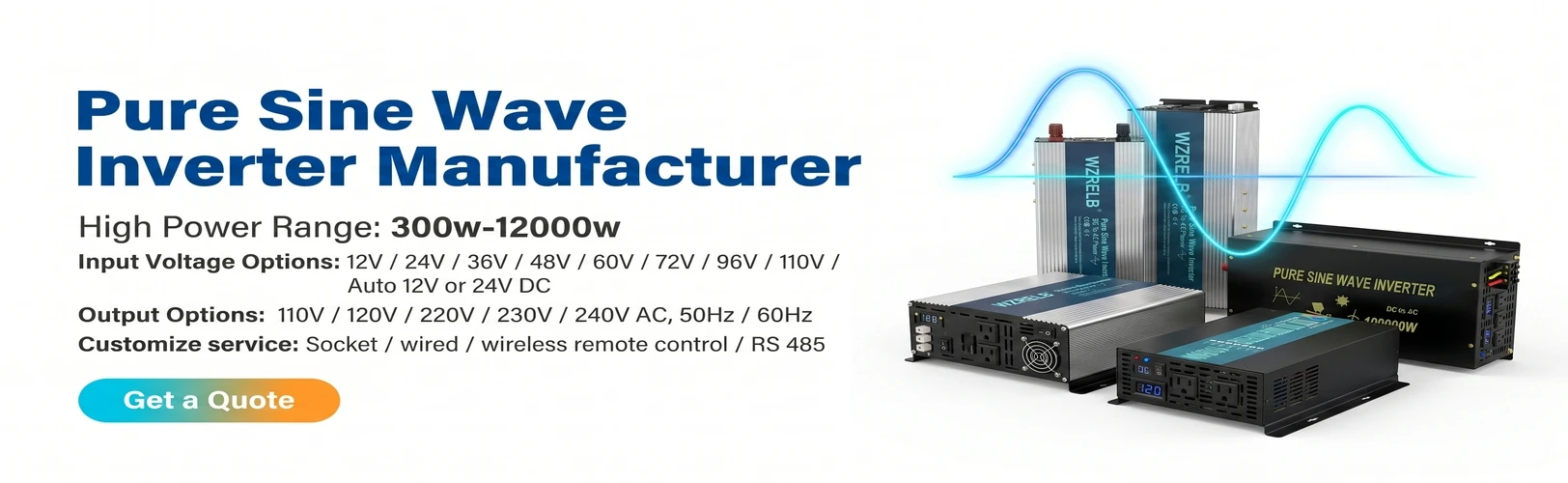
What is Inverter With Wire Remote
An inverter with wire remote is a power conversion device that transforms direct current (DC) electricity from sources like car batteries, solar panels, or battery banks into alternating current (AC) electricity, which is the type of electrical power required for most household appliances and electronics. The "with wire remote" part refers to an optional feature where the inverter can be remotely controlled and monitored using a wired connection rather than being controlled solely through the onboard interface on the inverter unit itself.
Benefits of Inverter With Wire Remote
Convenience: The remote control allows users to operate the inverter from a distance, which is especially useful when the inverter is installed in a hard-to-reach location.
Safety: Users can turn the inverter on or off remotely, reducing the risk of electrical shock from manually operating the inverter in tight or wet spaces.
Monitoring: Some remote controls provide real-time feedback on the inverter's status, such as input voltage, output wattage, and battery level, enabling users to monitor the system's health and performance.
Flexibility: The remote system can be placed wherever it's most convenient, offering flexibility in the installation and use of the inverter.
System Integration: For complex setups, a wired remote can be integrated into a centralized control system, allowing for better management of all electrical devices within the system.
Easy Installation: Properly designed remote systems can be straightforward to install, requiring only a single cable run between the inverter and the remote control panel.
Cost-Effectiveness: Compared to wireless solutions, a wired remote can be a more cost-effective option, especially in situations where the distance between the inverter and the control point is known and manageable.
Reliability: Wired connections tend to be more reliable than wireless ones, as they are less susceptible to interference and signal dropout.
Long-Term Savings: By providing accurate system monitoring, a wired remote can help in preventing unexpected failures and costly repairs by allowing users to react to system warnings in a timely manner.



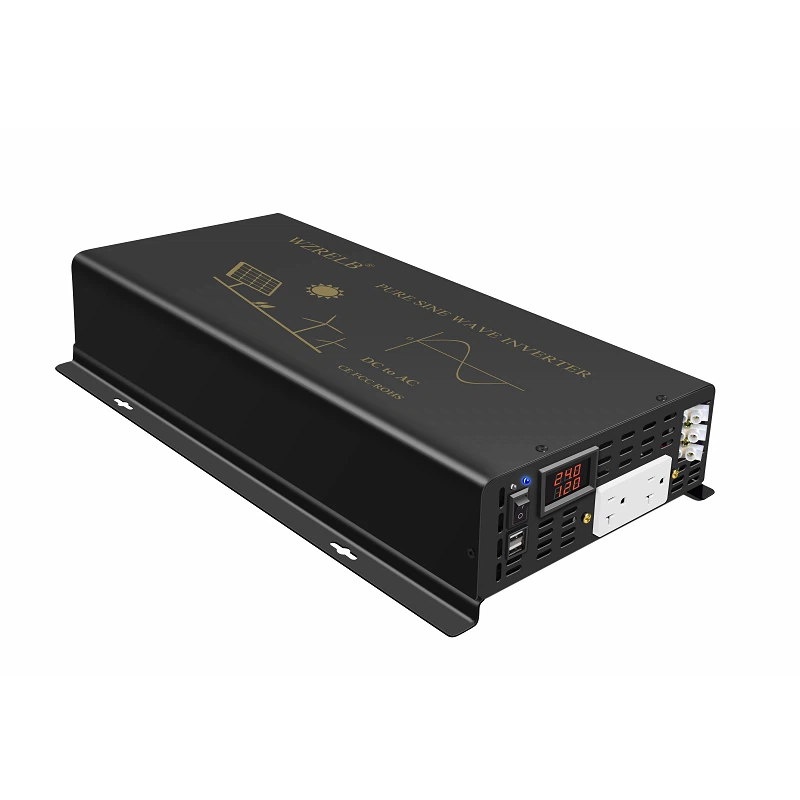

Why Choose Us
Quality Assurance
We have a rigorous quality assurance process in place to ensure that all our services meet the highest standards of quality. Our team of quality analysts checks each project thoroughly before it is delivered to the client.
State-of-the-art Technology
We use the latest technology and tools to deliver high quality services. Our team is well-versed in the latest trends and advancements in technology and uses them to provide the best results.
Customer Satisfaction
We are committed to delivering high quality services that exceed our clients' expectations. We strive to ensure that our clients are satisfied with our services and work closely with them to ensure their needs are met.
Competitive Pricing
We offer competitive pricing for our services without compromising on quality. Our prices are transparent, and we do not believe in hidden charges or fees.
One-stop service
We promise to provide you with the fastest reply, the best price, the best quality, and the most complete after-sales service.
Expertise and Experience
Our team of experts have years of experience in delivering high quality services to our clients. We hire only the best professionals who have a proven track record of delivering exceptional results.
What is an inverter with a wire remote and how does it work
An inverter with a wire remote is an electrical device that converts direct current (DC) power to alternating current (AC) power. It is typically used in applications where AC power is required, such as powering appliances or devices in a vehicle or off-grid system. The wire remote is a separate component that allows you to control the functions of the inverter from a distance.
Here's how it works: The inverter takes the DC power source, such as a battery, and converts it into AC power. The AC power can then be used to power various devices. The wire remote connects to the inverter via a cable or wire. It usually has buttons or a display that allows you to control different settings and functions of the inverter, such as turning it on or off, adjusting the output voltage or frequency, or monitoring the system status.
The wire remote provides a convenient way to control the inverter without having to physically access the device itself. This can be especially useful in situations where the inverter is installed in a hard-to-reach location or when you need to control it from a distance. The communication between the wire remote and the inverter is usually via a wired connection to ensure reliable and precise control.
Some inverters with wire remotes may also offer additional features, such as overload protection, short circuit protection, and voltage regulation. These features help ensure the safety and stability of the power supply.
Overall, an inverter with a wire remote offers greater flexibility and convenience in managing and controlling the power output of the inverter. It allows you to have more control over your electrical system and makes it easier to use and monitor the inverter in different setups.
What are the main components of an inverter with a wire remote
Inverter unit
This is the core component that converts DC power to AC power. It contains circuitry and components to perform the conversion process.
Wire remote control
The wire remote is the separate unit that allows you to control the inverter's functions. It may have buttons, a display, or other controls for operating the inverter.
Connection cable
A cable or wire is used to connect the wire remote to the inverter. This provides the physical link for communication between the two components.
Control circuitry
Within the inverter and wire remote, there is control circuitry that handles the communication and interpretation of the signals sent between the two.
Power supply
The inverter requires a power source, usually a battery or DC power input, to operate.
Output sockets or terminals
The inverter provides output sockets or terminals to connect the devices that will be powered by the AC output.
Locate the wire remote interface on the inverter: Check the inverter's manual or user guide to find the specific location of the wire remote interface.
Identify the wire remote connector: The wire remote usually comes with a connector that is compatible with the inverter's interface. Make sure the connector type matches.
Connect the wires
Align the wires from the wire remote with the corresponding terminals on the inverter. Typically, there will be labels or markings to indicate the correct polarity.
Secure the connection
Once the wires are connected, make sure they are securely fastened to prevent loose connections. You may need to use screws, clips, or other fastening methods provided by the inverter.
Test the connection
After connecting the wire remote, it's a good idea to test it to ensure proper functionality. Refer to the inverter's documentation for specific testing instructions.
What are the different types of wire remotes available for inverters




Basic wire remote: This is the simplest type of wire remote, usually featuring buttons for on/off control and basic settings adjustments.
Advanced wire remote: These remotes offer more features and controls, such as adjusting output voltage, frequency, and monitoring system parameters.
Programmable wire remote: With this type, you can program specific settings and functions, allowing for customizable operation of the inverter.
LCD display wire remote: These remotes have an LCD screen that displays information such as inverter status, input/output voltages, and error codes.
Wireless wire remote: Instead of a physical wire connection, these use wireless technology like RF (radio frequency) or Bluetooth for remote control.
Touchscreen wire remote: Offering a more intuitive interface, touchscreen wire remotes allow for easy navigation and operation.
Remote monitoring wire remote: Some wire remotes can be connected to a monitoring system, enabling remote monitoring and control of the inverter via a smartphone or web interface.
What are the safety features built into the wire remote
Locking mechanism: Some wire remotes have a locking mechanism to prevent accidental changes to settings or unauthorized operation.
Overload protection: The remote may have built-in protection to prevent the inverter from being overloaded, which could damage connected devices or cause a power outage.
Short circuit protection: This feature helps protect the inverter and connected devices from short circuits, reducing the risk of damage or fire.
Voltage regulation: The wire remote might allow you to set and monitor the output voltage, ensuring it remains within a safe range for the connected devices.
Error indication: It can display error codes or warning messages to alert you of potential issues with the inverter or the connected devices.
Electrical insulation: The wire remote is designed with proper electrical insulation to prevent electrical shocks or short circuits.
Compatibility with safety standards: Inverters and their wire remotes are often designed to meet specific safety standards and certifications, ensuring compliance with industry regulations.
Weather resistance: Look for a wire remote that is designed to withstand outdoor elements like rain, dust, and temperature extremes. It should be sealed and protected to prevent moisture or debris from entering.
IP rating: The Ingress Protection (IP) rating indicates the level of protection the remote has against solid objects and liquids. A higher IP rating suggests better protection in outdoor conditions.
Material and construction: Durable materials and a rugged construction can enhance the wire remote's ability to handle outdoor usage.
Exposure to sunlight: Some wire remotes may be sensitive to direct sunlight, so it's important to consider if it will be exposed to prolonged sunlight.
Electrical safety: Ensure the wire remote is properly insulated and rated for outdoor use to prevent electrical hazards.
How do I know if the wire remote is functioning properly
Visual inspection: Look for any visible damage, loose connections, or signs of wear and tear on the wire remote.
Button functionality: Test each button on the remote to see if it triggers the expected response from the inverter.
Display or indicator lights: Check if the display on the wire remote shows proper readings or if any indicator lights are functioning as they should.
Remote range test: Move the wire remote away from the inverter to see if it still operates within the expected range.
Compatibility check: Ensure the wire remote is compatible with your specific inverter model.
Refer to the manual: Consult the inverter's manual for specific testing procedures or troubleshooting steps.
Are there any power savings benefits associated with using a wire remote

Remote control convenience
With a wire remote, you can easily turn the inverter on or off from a distance, allowing for more efficient power management. This can be especially useful in situations where you don't need the inverter to be constantly running.

Remote monitoring and alerts
Some wire remotes can send alerts or notifications when power consumption reaches a certain threshold. This can help you be more aware of your energy usage and take appropriate measures to conserve power.

Energy-efficient modes or settings
Some inverters with wire remotes may offer specific energy-saving modes or settings that can help minimize power consumption.

Precise control and monitoring
Wire remotes often provide features like adjusting output voltage or monitoring power consumption. By fine-tuning these settings, you can optimize power usage and potentially reduce waste.
How do I troubleshoot if my inverter remote isn't working
Check Batteries: Ensure that the batteries in the remote are fresh and correctly installed. Low batteries can cause the remote to malfunction.
Visual Inspection: Look for any visible damage to the remote, such as cracks or water ingress, which could indicate why it's not working.
Signal Range: Verify that the remote is within the acceptable range for the inverter. Some remotes have a limited operational distance.
Connection Check: If the remote uses a wired connection, inspect the cables for any cuts, fraying, or loose connections. Ensure all connectors are securely attached and free of corrosion.
Inverter Status: Confirm that the inverter is on and able to receive commands. Check any indicator lights or diagnostic features on the inverter to ensure it's operational.
Reset Remote and Inverter: Try resetting the remote and the inverter to their default settings. Refer to the user manual for the correct reset procedure.
Software Update: Check if there is a firmware update available for either the inverter or the remote. Sometimes updates can resolve compatibility or functionality issues.
Interference: Ensure that there are no sources of electromagnetic interference near the inverter or the remote, such as other wireless devices or power lines.
User Error: Double-check that you are pressing the correct buttons on the remote and following the correct procedure for the desired action.
Contact Support: If none of the above steps resolve the issue, contact the manufacturer's customer support for assistance. They may require more specific information about the model and the problem you're experiencing.
Does the inverter with wire remote have a battery low alarm
Many inverters with wire remotes do have a battery low alarm feature. This is especially useful as it reminds you to replace the batteries in the remote before they run out completely and stop functioning.The battery low alarm works by triggering an indicator light, sound, or both on the wire remote or the inverter itself when the battery voltage drops to a certain level. This alert lets you know that it's time to replace the batteries to ensure uninterrupted remote operation.However, not all inverters with wire remotes may have this feature, so it's important to check the specifications and documentation of your specific inverter model to see if it includes a battery low alarm. If it doesn't, it's a good idea to keep an eye on the battery life yourself and replace the batteries periodically to avoid any disruptions in remote control functionality.Some wire remotes may also have a low-battery indicator light that starts to blink or show a specific color when the batteries are running low. Pay attention to any such indicators provided by the remote to stay proactive in replacing the batteries.Having a battery low alarm can be very helpful in ensuring you don't get caught off guard with a dead wire remote. It gives you the opportunity to replace the batteries in a timely manner and continue using the remote without any interruptions. So, if battery life is a concern for you, make sure to choose an inverter with this feature or check if it's available as an optional setting.
Can the wire remote for my inverter be used outdoors
Read the instructions: Before starting, carefully read the installation manual that came with your inverter and the wire remote. It will provide specific details and any precautions you need to know.
Locate the wire remote port on the inverter: Refer to the inverter's documentation or physically look for the port where the wire remote is supposed to be connected.
Connect the wire to the remote port: Plug the wire from the remote into the designated port on the inverter. Make sure the connection is secure.
Mount the wire remote: Depending on the design of the remote, you may need to mount it in a suitable location for easy access and operation. Follow the manufacturer's guidelines for mounting.
Power on the inverter: After the installation is complete, turn on the inverter to ensure the wire remote is properly connected and functioning.
Test the remote: Use the remote to test its various functions, such as turning the inverter on and off, adjusting settings, etc.
Can I use an extension cord with my inverter remote
Cord length and quality: Make sure the extension cord you choose is of good quality and has a sufficient length to reach your desired location. Longer cords may introduce some voltage drop, but it usually shouldn't be a significant issue unless the cord is very long.
Compatibility: Check the specifications of your inverter remote to see if there are any limitations or recommendations regarding the use of extension cords. Some devices may have specific power or current requirements that need to be met.
Safety: Use an extension cord that is rated for the power and voltage of your inverter remote. Avoid using damaged or frayed cords to prevent any electrical hazards.
Power source: Make sure the power source for the extension cord is suitable and stable. Using an extension cord with an unstable or overloaded power source can lead to problems.
Interference: Extension cords can sometimes introduce interference or signal degradation. If you experience any issues with the remote's performance, try using a shorter cord or moving it away from potential sources of interference.
How do I install a wire remote for my inverter
Read the instructions
Before starting, carefully read the installation manual that came with your inverter and the wire remote. It will provide specific details and any precautions you need to know.


Mount the wire remote
Depending on the design of the remote, you may need to mount it in a suitable location for easy access and operation. Follow the manufacturer's guidelines for mounting.
Locate the wire remote port on the inverter
Refer to the inverter's documentation or physically look for the port where the wire remote is supposed to be connected.


Connect the wire to the remote port
Plug the wire from the remote into the designated port on the inverter. Make sure the connection is secure.
Power on the inverter
After the installation is complete, turn on the inverter to ensure the wire remote is properly connected and functioning.

Test the remote
Use the remote to test its various functions, such as turning the inverter on and off, adjusting settings, etc.
Our Factory
Wenzhou Qisan Energy Tech is identified as one of the most famous trademarks in China for pure sine wave inverter because of its high reliability ,reasonable service.
Committed ourselves to improving environment and making contribution to the renewable energy industry ,we at Reliable will continue develop efficient and cost-effective solution to bring more green electricity to our users.

Company Honor


FAQ
Hot Tags: inverter with wire remote, China inverter with wire remote manufacturers, suppliers, factory, 3500 Watt Pure Sine Wave Inverter For Home, Pure Sine Wave Inverter, Pure Sine Wave Inverter with RS 485 Port, 4000 Watt Pure Sine Inverter Solar System, Sine Wave Inverter Power with USB Port, Inverter 3000 Watt
| Specification Data | ||||||||||
| Model | U5-1000 | U5-1500 | U5-2000 | U5-2500 | U5-3000 | U5-3500 | U5-4000 | U5-4500 | U5-5000 | |
| Input | AC Output Voltage | 12V or 24V or 36V or 48V or 60V or 72V or 96V or 110V | ||||||||
| DC Input Voltage Range | 10-15VDC or 21-30VDC or 30-45VDC or 42-60VDC or 50-75VDC or 60-90VDC or 75-115VDC or 90-135VDC | |||||||||
| No Load Current Draw | 1.2A | |||||||||
| Efficiency | > 90% | |||||||||
| DC Connector | Cables With Terminals | |||||||||
Output |
AC Output Voltage | 100/110/120VAC or 220/230/240VAC | ||||||||
| Continuous Power | 1000W | 1500W | 2000W | 2500W | 3000W | 3500W | 4000W | 4500W | 5000W | |
| Surge Power | 2000W | 3000W | 4000W | 5000W | 6000W | 7000W | 8000W | 9000W | 10000W | |
| Frequency | 50Hz or 60Hz | |||||||||
| Waveform | Pure Sine Wave | |||||||||
| AC Regulation | <3% | |||||||||
| Protection | Low Voltage Alarm | 9.5-10.5v / 19.5-21.5v / 29.5v-31.5v / 43-45v / 50.5-51.5v / 60.5-61.5v / 76-77v / 91-93v | ||||||||
| Low Voltage Shut Down | 9-10v / 18.5-20.5v / 29-30v / 41.5-42.5v / 50-51v /60-61v / 74-76v / 90v | |||||||||
| Over Load | Shut Off Output | |||||||||
| Over Voltage Shut Down | 15.5v / 30.5v / 45.5v /61.5v /75v / 90v / 115v / 135v | |||||||||
| Over Thermal | Shut Off Output Automatically | |||||||||
| Over Heat Protection | Cooling Fans Run When It's Over 120 F | |||||||||
| Cooling Fans | 2 | |||||||||
| Environment | Working Temperature | -10℃ TO 50℃ / -50℉ TO 122℉ | ||||||||
| Working Humidity | 20% ~ 90% RH non- condensing | |||||||||
| Storage Temperature | -30℃ TO 70℃ / -86℉ TO 158℉ | |||||||||
| Others | Start | Soft Start | ||||||||
| Total Harmonic Distortion | THD < 5% | |||||||||
| Pack | Machine size | 264 * 246 *94MM | 360 * 246 * 94MM | 467 * 246* 94MM | ||||||
| Net Weight | 3.6KG | 5.2KG | 7.9KG | |||||||
| Packing Type | Carton Packing | |||||||||